

import matplotlib
if not hasattr(matplotlib.RcParams, "_get"):
    matplotlib.RcParams._get = dict.get
Figure Metadata Extension#
A Sphinx extension that provides an interface to add metadata to figures and display the metadata.
This extension enhances Sphinx’s figure directive and the MyST-NB sphinx extension’s glue:figure directive with metadata support for:
Author: Image creator/author
License: Image license (validated):
a full list of the valid license types is available in the TeachBooks manual.
Date: Creation date (YYYY-MM-DD format)
Copyright: Copyright holder
Source: Image source
Additionally, this extension also introduces options for:
Figures without a caption, but with a number.
Figures with a caption, but without a number.
Figures with a caption and/or number without an image (useful in combination with gated figures to include other elements within a figure).
Installation#
To install the Sphinx-Metadata-Figure extension, follow these steps:
Step 1: Install the Package
Install the Sphinx-Metadata-Figure package using pip:
pip install sphinx-metadata-figure
Step 2: Add to requirements.txt
Make sure that the package is included in your project’s requirements.txt to track the dependency:
sphinx-metadata-figure
Step 3: Enable in _config.yml
In your _config.yml file, add the extension to the list of Sphinx extra extensions:
sphinx:
    extra_extensions:
        - sphinx_metadata_figure
Configuration#
This extension can be configured via the _config.yml file in your JupyterBook project (or similarly in conf.py for standard Sphinx projects).
The default configuration options are as follows:
sphinx:
  config:
    metadata_figure_settings:
      style:
        placement: hide
        show: author,license,date,copyright,source
        admonition_title: Attribution
        admonition_class: attribution
      license:
        link_license: true
        strict_check: false
        summaries: false
        individual: false
        substitute_missing: false
        default_license: CC BY
      author:
        substitute_missing: false
        default_author: config
      date:
        substitute_missing: false
        default_date: today
      copyright:
        substitute_missing: false
        default_copyright: authoryear
      source:
        warn_missing: false
      bib:
        extract_metadata: true
        generate_bib: false
        output_file: <app.outdir>/_temp/_generated_figures.bib # The <app.outdir> placeholder will be replaced with the actual output directory path during the build.
Each of the level 1 keys in metadata_figure_settings must be a dictionary of key-value pairs. Each level 1 key will be discussed next, including the options.
Style#
The style key contains options for how the metadata is displayed.
placement: Where to place the metadata. Options arecaption: as text on a new line in the figure caption. If no figure caption is provided by the user, the metadata will still be added as a caption without introducing figure numbering.admonition: in an admonition box below the figure caption.margin: in an admonition in the margin next to the figure.hide: The metadata is not added to the output, but is verified.
show: A comma-separated list of which metadata fields to show. Options that can be included areauthorlicensedatecopyrightsource
admonition_title: (English) title of the admonition box (ifplacementisadmonitionormargin). Will be translated if translations are available.admonition_class: CSS class to apply to the admonition box.
The last two options are only relevant if placement is set to admonition or margin.
License#
The license key contains options for how to handle license metadata.
link_license: Iftrue, the license name will be a hyperlink to the license text (if known).strict_check: Iftrue, an error will be generated for the first figure without license information or with an invalid license type.summaries: Iftrue, a short summary of all figures without a license or with an invalid license type will be shown during the build.individual: Iftrue, each figure with missing or invalid license information will generate a separate warning. Value is irrelevant ifstrict_checkistrue.substitute_missing: Iftrue, figures without license information will use thedefault_licensevalue. No warning will be generated if this is set totrue.default_license: The default license to use ifsubstitute_missingistrue. A full list of the valid license types is available in the TeachBooks manual.
Date#
The date key contains options for how to handle date metadata.
substitute_missing: Iftrue, figures without date information will use a value based on thedefault_dateoption.default_date: The default date to use ifsubstitute_missingistrue. Options are:today: Use date at which the build is performed.Any other string value in
YYYY-MM-DDformat will be used as the default date.
Copyright#
The copyright key contains options for how to handle copyright metadata.
substitute_missing: Iftrue, figures without copyright information will use a value based on thedefault_copyrightoption.default_copyright: The default copyright to use ifsubstitute_missingistrue. Options are:authoryear: Use a string in the formatYear Author. If the author is missing, only the year will be used. If the date is missing, only the author will be used. If both are missing, no copyright will be shown.config: Use thecopyrightvalue from the Sphinx configuration.authoryear-config: Use a string in the formatYear Authoras described above, but if both the author and date are missing, use the Sphinx configuration value instead.config-authoryear: Use the Sphinx configuration value, but if that is missing, use theYear Authorformat as described above.Any other string value will be used as the default copyright.
Source#
The source key contains options for how to handle source metadata.
warn_missing: Iftrue, a warning will be generated for each figure without source information.
Bib#
The bib key contains options for BibTeX entry support. This extension provides two-way integration with BibTeX:
Extract metadata: Read metadata from existing/generated BibTeX entries
Generate entries: Create new BibTeX entries from figure metadata
Configuration options:
extract_metadata: Iftrue, metadata will be extracted from existing/generated BibTeX entries when the:bib:option references a valid key. Default:true.generate_bib: Iftrue, BibTeX entries will be automatically generated from figure metadata when the:bib:option specifies a key that doesn’t exist in any.bibfile. The entry is generated before sphinxcontrib-bibtex loads the files, so the citation works in a single build. The generated file will be deleted and recreated on each build. The generation only functions (currently) only forfiguredirectives. Any other directive types that usefigureinternally will not generate BibTeX entries. Default:false.output_file: The output file path for generated BibTeX entries (relative to source directory). Default:_build/_temp/_generated_figures.bib.
Usage#
The figure directive and the MyST-NB sphinx extension’s glue:figure directive are extended with the following options to add metadata and other features:
author:Optionally specify the author/creator of the image.
license:Specify the license type of the image. Must be one of the valid license types.
date:Optionally specify the creation date of the image.
This value can be:
a date in
YYYY-MM-DDformattoday, which will result in using the date at which the build is performed.
copyright:Optionally specify a text with copyright information for the image.
source:Optionally specify the source of the image.
This value can be:
a URL (starting with “http” or “https”)
a textual source description
a MarkDown link
document, which will result in inserting a MarkDown link of the form[Source code](url_to_parent_document_that_contains_the_figure_directive).
placement:Optionally override the global
placementsetting for this figure only.Options are
caption,admonition,marginorhide.
show:Optionally override the global
showsetting for this figure only.Comma-separated list of which metadata fields to show.
Options are any combination of
author,license,date,copyrightandsource.
admonition_title:Optionally override the global
admonition_titlesetting for this figure only.Only relevant if
placementisadmonitionormargin.
admonition_class:Optionally override the global
admonition_classsetting for this figure only.Only relevant if
placementisadmonitionormargin.
bib:Optionally specify a BibTeX key for this figure.
Extracting from existing/generated entries: When specified with an existing/generated key in your
.bibfiles, metadata (author, date, source, license) will be extracted from the BibTeX entry using the following mapping:Metadata Field
Primary BibTeX Source
Fallback BibTeX source
Notes
authorauthorfield—
Used as-is
datedatefieldyearfieldIf only
yearexists, converted toYYYY-01-01formatsourceurlfieldhowpublishedfieldIf
howpublishedcontains\url{...}, extracts the URL; otherwise uses full value ifurlnot presentlicensenotefield—
Only extracted if formatted as
license: ...(case-insensitive); the text after the prefix is usedcopyrightcopyrightfield—
Used as-is
Fields that cannot be extracted are simply omitted from metadata (no defaults applied at extraction time)
Explicit metadata options (
:author:,:license:, etc.) take precedence over extracted bib metadata.The BibTeX entry is also automatically added to the document bibliography using a
cite:emptyrole (when the BibTeX key exists).Generating new entries: When
generate_bib: trueis set in the configuration and the specified key doesn’t exist, a new@miscBibTeX entry is automatically generated from the figure’s metadata options (:author:,:license:,:date:,:source:) and written to theoutput_file. The entry is generated during theconfig-initedphase, before sphinxcontrib-bibtex loads the.bibfiles, ensuring the citation works in a single build. Does not work for theglue:figuredirective or when thefiguredirective is used internally by other directives.
nonumber:Only relevant for figures with a caption.
If specified, the figure will not be numbered, but the caption will be shown.
number:Only relevant for figures without a caption.
If specified, the figure will be numbered, but no caption will be shown.
These last two options are mutually exclusive; you cannot use both on the same figure. If both are specified, a warning will be issued during the build. In this case, the following behavior is applied:
If a caption is provided, the
nonumberbehavior is applied (caption shown, no number).If no caption is provided, the
numberbehavior is applied (number shown, no caption).
Furthermore, a figure can be created without an image by omitting the image-uri argument. This means that either
a caption should be provided, or
the
numberoption should be used,
to achieve a visible result. Otherwise, the figure will not be rendered and a warning will be issued during the build.
Minimal allowable figure directives in this case without an image are:
```{figure}
A caption.
```
and
```{figure}
:number:
```
Setting Page-Level Defaults#
You can set default metadata values for all figures on a specific page using the default-metadata-page directive. This provides a middle layer between global configuration and per-figure settings.
Syntax#
.. default-metadata-page::
   :author: John Doe
   :license: CC-BY
   :placement: admonition
Or in MyST markdown:
```{default-metadata-page}
:author: John Doe
:license: CC-BY
:placement: admonition
```
Features#
Scope: Applies to all figures in the current document only after this directive. Each new instance of the directive will update the provided default page settings and applies the updated default page settings to subsequent figures within the current document.
All options supported: You can set any metadata field or display option at page level.
Priority Order#
When determining metadata values, the extension follows this priority chain (highest to lowest):
Explicit figure option (
:author:on the figure directive)BibTeX metadata (when
:bib:references an existing/generated entry)Page-level default (from
default-metadata-page)Global configuration (from
_config.yml)
For detailed examples and usage, see the Page-Level Defaults section in the manual.
Examples using default settings#
These examples assume that the config only has the default options except for the placement, summaries, and individual options which are set as follows:
sphinx:
  config:
    metadata_figure_settings:
      style:
        placement: caption
      license:
        summaries: true
        individual: true
Example 1: Complete Metadata#
Note that the license is given in Indonesian: “Hak cipta dilindungi”, but it is automatically translated to the language set in conf.py/_config.yml.
```{figure} /images/TeachBooks_logo.svg
:name: tb_logo_metadata1
:width: 50%
:author: Veronica Comin
:date: 2024-11-13
:license: Hak cipta dilindungi
:source: [TeachBooks Logos and Visuals](https://github.com/TeachBooks/logos_and_visualisations)
:copyright: © TeachBooks 2024

The logo of TeachBooks.
```

Fig. 113 The logo of TeachBooks.
#
Example 2: Minimal Metadata (only a license)#
Note that the license given has some common issues:
The dash in “CC-BY” should be spaces: “CC BY”
The version is missing: “CC BY 4.0”
The code automatically corrects these issues.
```{figure} /images/TeachBooks_logo.svg
:name: tb_logo_metadata2
:width: 50%
:license: CC-BY

The logo of TeachBooks.
```
Fig. 114 The logo of TeachBooks.
#
Example 3: Without License (generates a warning)#
```{figure} /images/TeachBooks_logo.svg
:name: tb_logo_metadata3
:width: 50%
:author: Veronica Comin
:date: 2024-11-13
:source: [TeachBooks Logos and Visuals](https://github.com/TeachBooks/logos_and_visualisations)
:copyright: © TeachBooks 2024

The logo of TeachBooks.
```
Fig. 115 The logo of TeachBooks.
#
Example 4: Invalid License (generates a warning)#
```{figure} /images/TeachBooks_logo.svg
:name: tb_logo_metadata4
:width: 50%
:author: Veronica Comin
:date: 2024-11-13
:license: Unknown
:source: [TeachBooks Logos and Visuals](https://github.com/TeachBooks/logos_and_visualisations)
:copyright: © TeachBooks 2024

The logo of TeachBooks.
```
Fig. 116 The logo of TeachBooks.
#
Example 5: Placement as an admonition below the caption#
```{figure} /images/TeachBooks_logo.svg
:name: tb_logo_metadata5
:width: 50%
:author: Veronica Comin
:date: 2024-11-13
:license: CC BY
:source: [TeachBooks Logos and Visuals](https://github.com/TeachBooks/logos_and_visualisations)
:copyright: © TeachBooks 2024
:placement: admonition

The logo of TeachBooks.
```
Fig. 117 The logo of TeachBooks.#
Attribution
Author: Veronica Comin | License: CC BY 4.0 | Date: 2024-11-13 | Copyright: © TeachBooks 2024 | Source: TeachBooks Logos and Visuals
Example 6: Placement as an admonition in the margin#
```{figure} /images/TeachBooks_logo.svg
:name: tb_logo_metadata6
:width: 50%
:author: Veronica Comin
:date: 2024-11-13
:license: CC BY
:source: [TeachBooks Logos and Visuals](https://github.com/TeachBooks/logos_and_visualisations)
:copyright: © TeachBooks 2024
:placement: margin

The logo of TeachBooks.
```
Attribution
Author: Veronica Comin | License: CC BY 4.0 | Date: 2024-11-13 | Copyright: © TeachBooks 2024 | Source: TeachBooks Logos and Visuals
Fig. 118 The logo of TeachBooks.#
Example 8: Placement in caption without a caption provided by the user#
```{figure} /images/TeachBooks_logo.svg
:name: tb_logo_metadata8
:width: 50%
:author: Veronica Comin
:date: 2024-11-13
:license: CC BY
:source: document
:copyright: © TeachBooks 2024
:placement: caption

```
Example 9: Source as “document”#
import numpy as np

import matplotlib.pyplot as plt

# Create a simple plot
fig, ax = plt.subplots(figsize=(6, 4))
x = np.linspace(0, 2*np.pi, 100)
y = np.sin(x)

ax.plot(x, y, linewidth=2, color='blue')
ax.set_xlabel('x')
ax.set_ylabel('sin(x)')
ax.set_title('Simple Sine Wave')
ax.grid(True, alpha=0.3)

# Save as SVG
plt.savefig('MANUAL_sine_wave.svg', format='svg', bbox_inches='tight')
```{figure} ./MANUAL_sine_wave.svg
:name: tb_logo_metadata9
:width: 50%
:author: Veronica Comin
:date: 2024-11-13
:license: CC BY
:source: document
:copyright: © TeachBooks 2024
:placement: caption

The logo of TeachBooks.
```
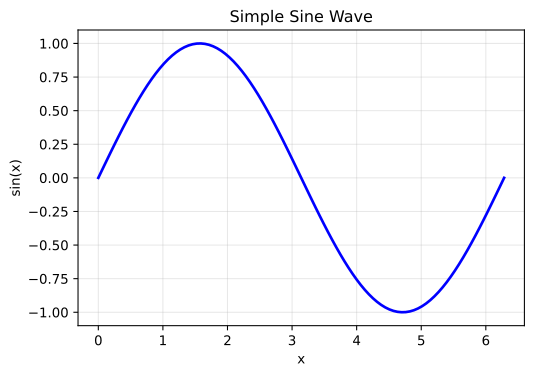
Fig. 120 The logo of TeachBooks.
#
Example 10: Source as “document” using glue#
from myst_nb import glue

import numpy as np

import matplotlib.pyplot as plt

# Create a simple plot
fig, ax = plt.subplots(figsize=(6, 4))
x = np.linspace(0, 2*np.pi, 100)
y = np.sin(x)

ax.plot(x, y, linewidth=2, color='blue')
ax.set_xlabel('x')
ax.set_ylabel('sin(x)')
ax.set_title('Simple Sine Wave')
ax.grid(True, alpha=0.3)

fig = plt.gcf()
glue("MANUAL_sine_wave", fig, display=False)
plt.close();
```{glue:figure} MANUAL_sine_wave
:name: tb_logo_metadata10
:width: 50%
:author: Veronica Comin
:date: 2024-11-13
:license: CC BY
:source: document
:copyright: © TeachBooks 2024
:placement: caption

The logo of TeachBooks.
```
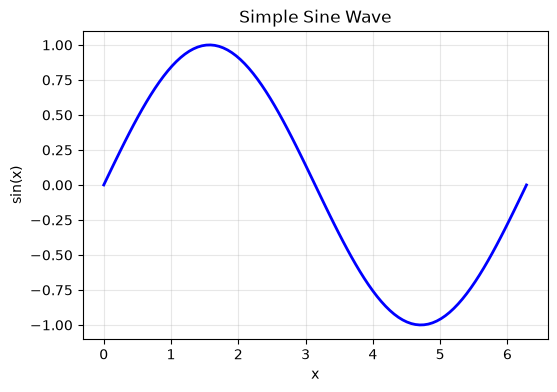
Fig. 121 The logo of TeachBooks.
#
Example 11: Metadata with BibTeX extraction#
```{figure} /images/TeachBooks_logo.svg
:name: tb_logo_metadata11
:width: 50%
:bib: TeachBooksLogo

The logo of TeachBooks.
```
Fig. 122 The logo of TeachBooks.
#
The corresponding BibTeX entry in a .bib file would be:
@misc{TeachBooksLogo,
  author = {Veronica Comin},
  title = {The logo of TeachBooks.},
  year = {2024},
  date = {2024-11-13},
  note = {License: CC BY},
  url = {https://github.com/TeachBooks/logos_and_visualisations},
  howpublished = {\url{https://github.com/TeachBooks/logos_and_visualisations}},
  copyright = {© TeachBooks 2024}
}
Example 11b: Automatic BibTeX Generation#
When generate_bib: true is set in the configuration and you specify a :bib: key that doesn’t exist in any .bib file, the extension will automatically generate a BibTeX entry from the figure’s metadata options.
Configuration required:
sphinx:
  config:
    metadata_figure_settings:
      bib:
        extract_metadata: true
        generate_bib: true
        output_file: "_generated_figures.bib"
Usage:
```{figure} /images/TeachBooks_logo.svg
:name: tb_logo_metadata11b
:width: 50%
:bib: AutoGeneratedKey
:author: TeachBooks Team
:date: 2024-06-15
:license: CC BY
:source: https://github.com/TeachBooks/manual

This figure will auto-generate a BibTeX entry.
```

Citation: {cite:p}`AutoGeneratedKey`
This will automatically create an entry in _build/_temp/_generated_figures.bib:
@misc{AutoGeneratedKey,
  author = {TeachBooks Team},
  title = {This figure will auto-generate a BibTeX entry.},
  year = {2024},
  date = {2024-06-15},
  url = {https://github.com/TeachBooks/manual},
  howpublished = {\url{https://github.com/TeachBooks/manual}},
  note = {License: CC BY},
}
Key features:
The entry is generated during the
config-initedphase, before sphinxcontrib-bibtex loads the.bibfilesThis means the citation works in a single build - no need to build twice
If a key already exists in any
.bibfile, it won’t be overwrittenThe figure caption is used as the BibTeX
titlefieldSupports multiple directive formats: backticks (
```), colons (:::), and RST (.. figure::)Only works for the
figuredirective, not forglue:figureor whenfigureis used internally by other directives.
Example 12-17: Figures with something missing#
A figure without an image, with a number and a caption#
```{figure}
A figure without an image, with a number and a caption.
```
Fig. 123 A figure without an image, with a number and a caption.#
A figure without a number, with a caption and an image#
```{figure} /images/TeachBooks_logo.svg
:nonumber:
:width: 50%

A figure without a number, with a caption and an image.
```
A figure without a number, with a caption and an image.#
A figure without a caption, with a number and an image#
```{figure} /images/TeachBooks_logo.svg
:number:
:width: 50%
```
Fig. 124 #
A figure without an image, with a license, a number and a caption#
```{figure}
:license: CC-BY 4.0
A figure without an image, with a license, a number and a caption.
```
Fig. 125 A figure without an image, with a license, a number and a caption.
#
A figure without a number, with a license, a caption and an image#
```{figure} /images/TeachBooks_logo.svg
:nonumber:
:width: 50%
:license: CC-BY 4.0

A figure without a number, with a license, a caption and an image.
```
A figure without a number, with a license, a caption and an image.
#
A figure without a caption, with a license, a number and an image#
```{figure} /images/TeachBooks_logo.svg
:number:
:width: 50%
:license: CC-BY 4.0
```
Fig. 126
#
Example 18-21: Page-level metadata defaults#
The default-metadata-page directive allows you to set default metadata values for all figures after this directive on a page. This reduces repetition when multiple figures share common metadata. Each new instance of the directive will update the provided default page settings and applies the updated default page settings to subsequent figures within the current document.
```{default-metadata-page}
:author: Historical Archive
:license: Public Domain
:date: 1920-01-01
:placement: margin
```

```{figure} /images/TeachBooks_logo.svg
:name: tb_logo_metadata12a
:width: 40%

Photo 1: Uses all page defaults (author, license, date, placement).
```

```{figure} /images/TeachBooks_logo.svg
:name: tb_logo_metadata12b
:width: 40%
:author: Specific Photographer

Photo 2: Overrides author but keeps page default license, date, and placement.
```

```{figure} /images/TeachBooks_logo.svg
:name: tb_logo_metadata12c
:width: 40%
:license: CC BY
:placement: caption

Photo 3: Overrides license and placement, keeps page default author and date.
```
Attribution
Author: Historical Archive | License: Public Domain | Date: 1920-01-01
Fig. 127 Photo 1: Uses all page defaults (author, license, date, placement).#
Attribution
Author: Specific Photographer | License: Public Domain | Date: 1920-01-01
Fig. 128 Photo 2: Overrides author but keeps page default license, date, and placement.#
Fig. 129 Photo 3: Overrides license and placement, keeps page default author and date.
#
Recognized licenses#
The following licenses are recognized and validated by the Sphinx-Metadata-Figure extension:
License |
Long name |
Notes |
|---|---|---|
CC0 |
Creative Commons Zero |
|
CC BY |
Creative Commons Attribution |
4.0 is assumed and appended to output, (another) version can be appended to indicate specific version explicitly, for example |
CC BY-SA |
Creative Commons Attribution-ShareAlike |
4.0 is assumed and appended to output, (another) version can be appended to indicate specific version explicitly, for example |
CC BY-NC |
Creative Commons Attribution-NonCommercial |
4.0 is assumed and appended to output, (another) version can be appended to indicate specific version explicitly, for example |
CC BY-NC-SA |
Creative Commons Attribution-NonCommercial-ShareAlike |
4.0 is assumed and appended to output, (another) version can be appended to indicate specific version explicitly, for example |
CC BY-ND |
Creative Commons Attribution-NoDerivatives |
4.0 is assumed and appended to output, (another) version can be appended to indicate specific version explicitly, for example |
CC BY-NC-ND |
Creative Commons Attribution-NonCommercial-NoDerivatives |
4.0 is assumed and appended to output, (another) version can be appended to indicate specific version explicitly, for example |
Public Domain |
Public Domain |
Translated to language set in |
MIT |
MIT License |
|
Apache-2.0 |
Apache License 2.0 |
|
GPL-3.0 |
GNU General Public License v3.0 |
|
GPL-2.0 |
GNU General Public License v2.0 |
|
LGPL-2.1 |
GNU Lesser General Public License v2.1 |
|
LGPL-3.0 |
GNU Lesser General Public License v3.0 |
|
AGPL-3.0 |
GNU Affero General Public License v3.0 |
|
BSD-3-Clause |
BSD 3-Clause “New” or “Revised” License |
|
BSD-2-Clause |
BSD 2-Clause “Simplified” or “FreeBSD” License |
|
Proprietary |
Proprietary License |
Translated to language set in |
All Rights Reserved |
All Rights Reserved |
Translated to language set in |
Pixabay License |
Pixabay License |
Translated to language set in |
Unsplash License |
Unsplash License |
Translated to language set in |
Pexels License |
Pexels License |
Translated to language set in |
Vecteezy Free License |
Vecteezy Free License |
Translated to language set in |
Contribute#
This tool’s repository is stored on GitHub. If you’d like to contribute, you can create a fork and open a pull request on the GitHub repository.